
 English
 العربية
 Čeština
 Dansk
Dansk
 Deutsch
 Español
 Suomi
Suomi
 Français
 Bahasa Indonesia
 Italiano
 日本語
日本語
 한국어
한국어
 Nederlands
 Polski
 Português
 Română
 Русский
 Svenska
 Türkçe
 Tiếng Việt
 简体中文
简体中文
What Is My User Agent
Find Your Browser, Device, and User Agent String in One Click




Every time you visit a website, your browser sends a hidden piece of information known as a user agent. Although most users never notice it, the user agent plays a vital role in how websites identify devices, browsers, and operating systems. From delivering mobile-friendly layouts to ensuring browser compatibility, the user agent is a fundamental part of how the modern web works.
The What Is My User Agent tool by SmallWebTools is designed to instantly reveal this information in a clear and readable format. Whether you are a developer debugging browser issues, an SEO expert testing bots, or a regular user curious about your device details, this tool provides accurate results in seconds.
What Is a User Agent?
A user agent is a text string sent by your browser or application to a web server with every request. This string identifies:
-
Browser name and version
-
Operating system
-
Device type (desktop, tablet, mobile)
-
Rendering engine
For example, a typical user agent string may look complex and technical, but it contains valuable information that helps websites adapt their content to your device.
Why User Agents Exist
User agents were created to help servers understand the capabilities of the client accessing a website. Different browsers and devices support different features, and user agents allow websites to adjust accordingly.
They help with:
-
Responsive design handling
-
Browser compatibility
-
Feature detection
-
Analytics and reporting
-
Bot and crawler identification
Without user agents, websites would struggle to deliver optimized experiences across devices.
Why Knowing Your User Agent Is Important
Understanding your user agent can be useful in many scenarios, from development to security.
1. Web Development and Testing
Developers rely on user agent data to test how websites behave across browsers and devices. Knowing your exact user agent helps replicate issues accurately.
2. SEO and Search Engine Bots
Search engines use specific user agents for their crawlers. SEO professionals often check user agents to verify:
-
Whether bots are being blocked
-
How crawlers access content
-
Differences between desktop and mobile crawling
3. Browser Compatibility Troubleshooting
If a website does not work properly, checking your user agent can help identify whether the issue is browser-specific.
4. Security and Privacy Awareness
User agents can reveal information about your system. Understanding what data is shared helps users make informed privacy decisions.
What Is the “What Is My User Agent” Tool?
The What Is My User Agent tool by SmallWebTools is a browser-based utility that automatically detects and displays your current user agent information.
It shows:
-
Full user agent string
-
Browser name and version
-
Operating system
-
Device category
No setup, login, or technical knowledge is required.
How the User Agent Tool Works
The process is simple and instant:
-
You open the tool page
-
Your browser sends its user agent string
-
The tool reads and interprets the string
-
Results are displayed clearly on screen
This happens automatically without any manual input.
Understanding a User Agent String
A user agent string may look confusing at first, but it follows a structured format.
Key Components Explained
-
Browser Engine – Indicates rendering engine (e.g., WebKit, Gecko)
-
Browser Name & Version – Identifies the browser
-
Operating System – Shows OS type and version
-
Device Info – Indicates mobile or desktop environment
The SmallWebTools User Agent Checker simplifies this by breaking down the information into readable parts.
Common Use Cases for User Agent Checking
1. Responsive Design Testing
Developers test layouts by simulating different user agents to ensure proper responsiveness.
2. Bot Detection
Security teams analyze user agents to identify bots, crawlers, or suspicious traffic.
3. Analytics Verification
Marketers use user agent data to verify traffic sources and device distribution.
4. API and Application Testing
APIs sometimes respond differently based on user agent strings.
Benefits of Using the SmallWebTools User Agent Tool
The SmallWebTools What Is My User Agent tool offers several advantages:
-
Completely free
-
No registration required
-
Instant and accurate detection
-
Clean, easy-to-read output
-
Works on desktop and mobile
-
Suitable for beginners and professionals
It removes the need for browser settings or developer tools.
User Agents and SEO
User agents play a crucial role in technical SEO.
Mobile-First Indexing
Search engines often use mobile user agents to crawl websites. Knowing how your site responds to different user agents helps ensure proper indexing.
Cloaking Detection
Serving different content to bots and users can be risky. Checking user agent behavior helps avoid accidental SEO violations.
Log File Analysis
SEO experts analyze user agents in server logs to understand crawler behavior.
User Agents and Website Security
User agents are also important in security analysis:
-
Detecting malicious bots
-
Blocking outdated or vulnerable browsers
-
Identifying fake or spoofed user agents
The What Is My User Agent tool helps users understand what information their browser reveals.
Differences Between Desktop and Mobile User Agents
Desktop and mobile user agents differ significantly. Mobile user agents usually include indicators for:
-
Mobile device type
-
Touch support
-
Mobile operating system
Testing both helps ensure consistent user experience across platforms.
Best Practices When Working with User Agents
-
Avoid relying solely on user agents for feature detection
-
Combine user agent data with responsive design techniques
-
Regularly test across major browsers
-
Monitor unusual or unknown user agents in logs
Understanding user agents helps create more reliable websites.
Example: How to Use the “What Is My User Agent” Tool


Scenario
You want to know which browser and operating system your device is using for testing a website issue.
Step-by-Step Example
-
Open the What Is My User Agent tool on SmallWebTools.
-
The page loads automatically without any input.
-
Instantly view your user agent information on the screen.
Sample Output
Result Explained
-
Operating System: Windows 10 (64-bit)
-
Browser: Google Chrome
-
Rendering Engine: WebKit / Blink
You can now use this information for debugging, testing, or reporting.
Common Mistakes and Misunderstandings
-
Assuming user agents are always accurate
-
Relying only on user agent detection for responsiveness
-
Blocking unknown user agents without verification
-
Ignoring spoofed or fake user agents
The tool helps clarify what data is actually being sent.
User Agent Spoofing Explained
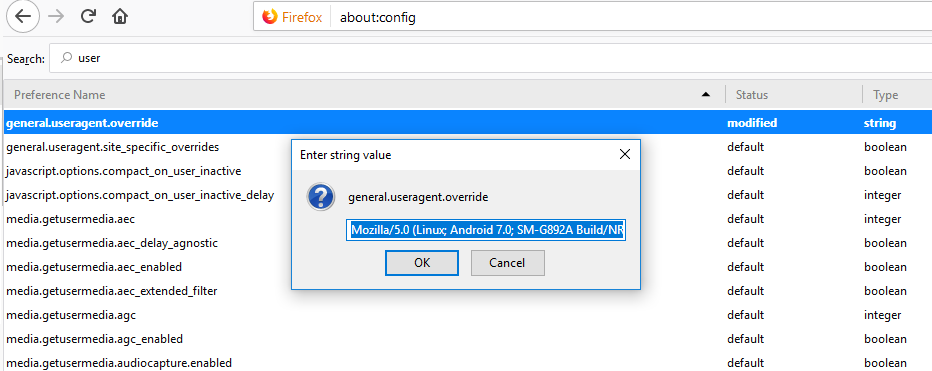
Some browsers and tools allow users to change or spoof their user agent. This is often used for testing, but it can also be abused.
Checking your user agent helps:
-
Verify spoofing behavior
-
Confirm browser settings
-
Test server-side rules
Who Should Use This Tool?
The What Is My User Agent tool is ideal for:
-
Web developers
-
SEO professionals
-
Digital marketers
-
Website owners
-
Students learning web technology
-
Security analysts
Anyone curious about their browser identity can benefit.
Conclusion
The What Is My User Agent tool by SmallWebTools is a simple yet powerful utility that reveals critical information about your browser, device, and operating system. By instantly displaying your user agent string in a clear format, it helps developers debug issues, SEO professionals analyze crawlers, and users understand how they are identified online.
Whether you are testing a website, troubleshooting compatibility problems, or learning how the web works, this tool provides fast, accurate, and reliable insights. Easy to use and completely free, What Is My User Agent is an essential tool for anyone working with modern websites.