
 English
 العربية
 Čeština
 Dansk
Dansk
 Deutsch
 Español
 Suomi
Suomi
 Français
 Bahasa Indonesia
 Italiano
 日本語
日本語
 한국어
한국어
 Nederlands
 Polski
 Português
 Română
 Русский
 Svenska
 Türkçe
 Tiếng Việt
 简体中文
简体中文
What Is My Browser
Check Your Browser Name, Version, and Platform in One Click





Every interaction on the internet begins with a browser. Whether you are reading an article, shopping online, or managing a website, your browser acts as the gateway between you and the web. Despite this, many users are unsure which browser they are using, which version it is, or how this information affects website performance and compatibility.
The What Is My Browser tool by SmallWebTools solves this problem instantly. With a single click, it reveals your browser name, browser version, operating system, and platform details—no technical knowledge required. This information is crucial for developers, SEO experts, marketers, support teams, and even regular users.
This in-depth guide explains what a browser is, why knowing your browser matters, how the What Is My Browser tool works, and how to use it effectively with a clear real-world example.
What Is a Web Browser?
A web browser is a software application used to access, retrieve, and display content on the internet. Browsers interpret HTML, CSS, and JavaScript to render websites in a visual and interactive form.
Common tasks performed by browsers include:
-
Loading web pages
-
Displaying images and videos
-
Running scripts and web apps
-
Managing cookies and cache
-
Enforcing security and privacy rules
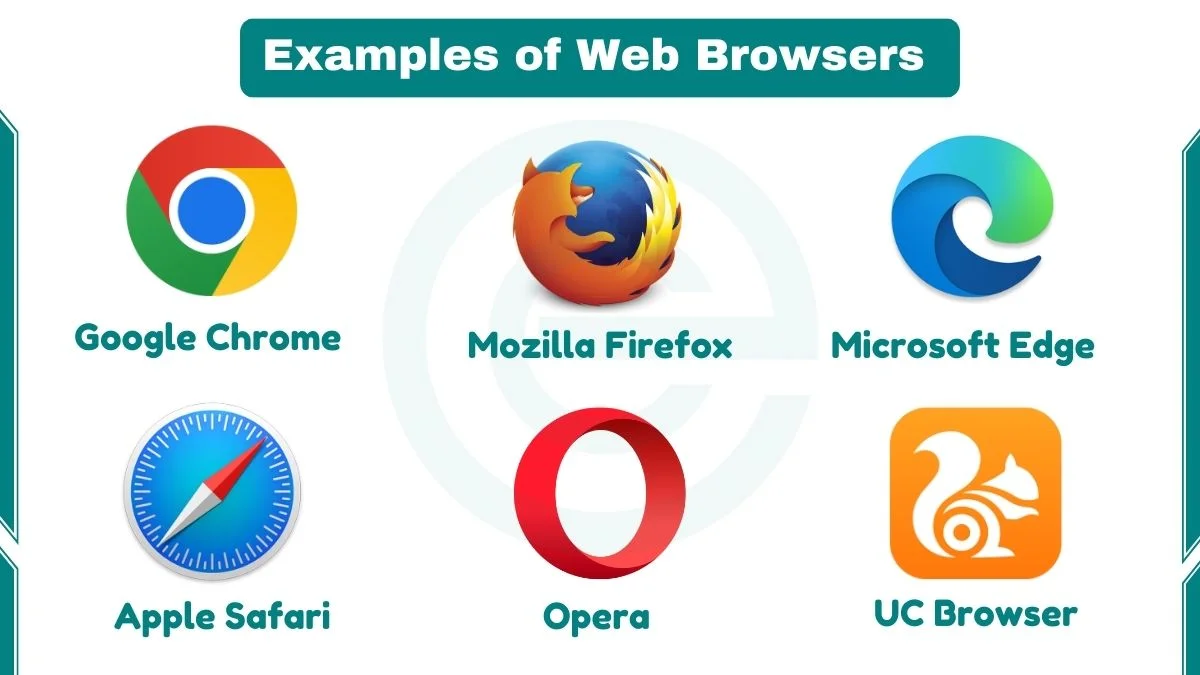
Each browser uses a rendering engine and follows web standards slightly differently, which is why browser detection is important.
Why Knowing Your Browser Is Important
Understanding which browser you are using can help in many situations, from fixing errors to improving user experience.
1. Website Compatibility
Some websites or features work better on certain browsers. Knowing your browser helps diagnose layout or functionality issues.
2. Troubleshooting Errors
When reporting a problem, support teams often ask, “Which browser and version are you using?” Accurate information speeds up solutions.
3. Security and Updates
Older browser versions may have vulnerabilities. Checking your browser version helps ensure you are using the latest, secure release.
4. Web Development and Testing
Developers test websites across multiple browsers to ensure consistent behavior. Browser identification is essential in this process.
What Is the “What Is My Browser” Tool?
The What Is My Browser tool by SmallWebTools is an online browser detection utility that automatically identifies details about the browser you are currently using.
It instantly displays:
-
Browser name (e.g., Chrome, Firefox, Edge)
-
Browser version
-
Operating system (Windows, macOS, Linux, Android, iOS)
-
Platform type (desktop or mobile)
The tool works directly in your browser and requires no input, registration, or installation.
How the Tool Works
The tool uses your browser’s built-in identification data to determine your browser details.
Process overview:
-
You open the What Is My Browser page
-
Your browser sends identification information
-
The tool reads and interprets this data
-
Results are shown instantly in a clean format
All detection happens automatically and in real time.
What Information Does the Tool Show?
Browser Name
Identifies which browser you are using, such as Chrome, Firefox, Safari, Edge, or Opera.
Browser Version
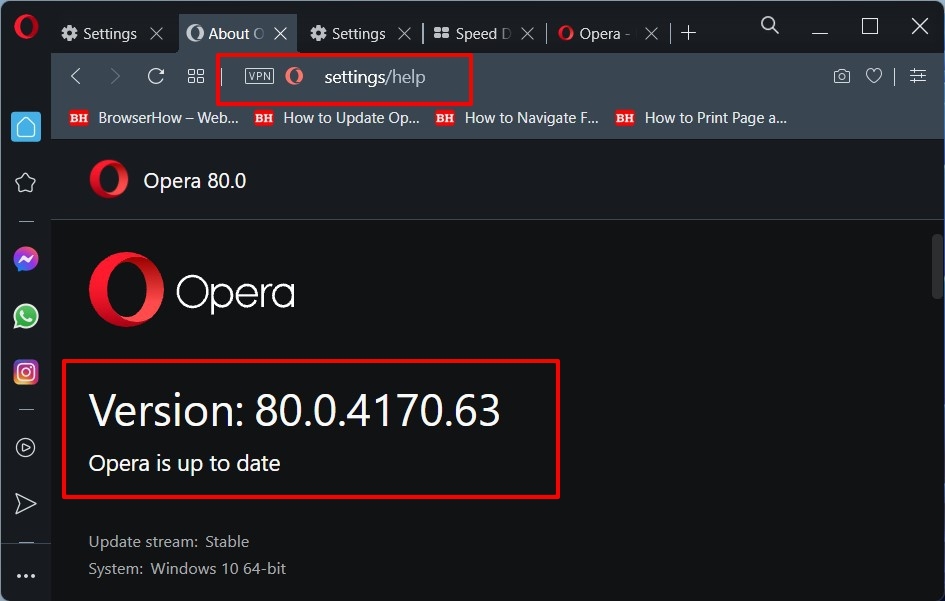
Shows the exact version number, which is important for compatibility and security checks.
Operating System
Displays the OS your browser is running on, such as Windows, macOS, Linux, Android, or iOS.
Device Category
Indicates whether the browser is running on a desktop, tablet, or mobile device.
This simplified output makes technical data easy to understand.
Why Browser Detection Matters for Websites
Different browsers interpret web technologies slightly differently. Knowing browser details helps ensure websites function correctly for all users.
Responsive Design
Developers test how layouts behave across browsers and screen sizes.
Feature Support
Some features are supported in modern browsers but not older versions.
Performance Optimization
Certain browsers handle scripts, animations, and media differently.
Accessibility
Browser support can affect accessibility tools like screen readers.
Browser Information and SEO
Browser data plays an indirect but important role in SEO and analytics.
User Experience Signals
If a website performs poorly on a specific browser, users may leave quickly, increasing bounce rates.
Analytics Accuracy
Marketers analyze browser distribution to optimize design and performance for the majority of users.
Testing Search Engine Behavior
SEO professionals often compare how content renders across browsers.
Browser Compatibility Testing
Browser compatibility testing ensures that websites look and work the same across different browsers and versions.
The What Is My Browser tool helps by:
-
Confirming the browser being tested
-
Assisting in bug replication
-
Supporting QA and testing workflows
This is especially important for large or public-facing websites.
Browser Updates and Security
Using an outdated browser can expose users to security risks.
Knowing your browser version helps you:
-
Check if updates are needed
-
Avoid unsupported browser versions
-
Stay protected against known vulnerabilities
The tool provides quick visibility into whether your browser is up to date.
Differences Between Desktop and Mobile Browsers
Desktop and mobile browsers may share names but behave differently.
Key differences include:
-
Touch vs mouse interaction
-
Screen size and resolution
-
Performance limitations
-
Mobile-specific optimizations
Checking your browser helps identify which environment you are using.
Common Use Cases for the What Is My Browser Tool
-
Reporting website bugs
-
Contacting customer support
-
Testing website compatibility
-
Learning browser basics
-
Checking browser version before updates
-
Teaching web development concepts
The tool is useful for both professionals and casual users.
Benefits of Using SmallWebTools “What Is My Browser”
-
100% free and online
-
No login or signup required
-
Instant results
-
Easy-to-understand output
-
Works on all devices
-
Suitable for beginners and experts
It removes the need to search browser settings manually.
Best Practices Related to Browser Usage
-
Keep your browser updated
-
Test websites across multiple browsers
-
Avoid unsupported browser versions
-
Use modern browsers for better security
-
Check browser details when troubleshooting
Understanding your browser helps improve both safety and performance.
Example: How to Use the “What Is My Browser” Tool
Scenario
You are facing a display issue on a website and want to report it accurately to the support team.
Step-by-Step Example
-
Open the What Is My Browser tool on SmallWebTools.
-
The page loads automatically without any input.
-
Instantly view your browser details on the screen.
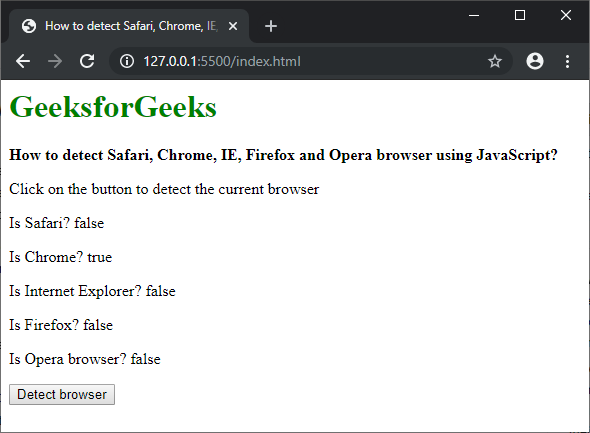
Sample Output
Result Explained
-
You are using Google Chrome
-
The version number confirms a modern release
-
The OS and platform details help support teams replicate the issue
You can now share accurate information and get faster help.
Common Misunderstandings About Browsers
-
Assuming all browsers behave the same
-
Ignoring browser version differences
-
Confusing browser name with operating system
-
Thinking browser details are private (they are shared automatically)
The tool helps clarify these points instantly.
Who Should Use This Tool?
The What Is My Browser tool is ideal for:
-
Web developers
-
SEO specialists
-
Digital marketers
-
Website owners
-
Customer support teams
-
Students and learners
-
Everyday internet users
Anyone who uses the web can benefit from knowing their browser details.
Conclusion
The What Is My Browser tool by SmallWebTools is a simple yet powerful solution for instantly identifying your browser, version, operating system, and platform. By making browser information easy to access and understand, it helps improve troubleshooting, compatibility testing, security awareness, and overall web experience.
Whether you are debugging a website, reporting an issue, or simply curious about your browser, this tool delivers accurate results in seconds. Free, fast, and user-friendly, What Is My Browser is an essential utility for anyone navigating the modern internet.